Product visualization team
A team has a GLB asset from a web or real-time scene and needs a more structured package for internal review.
The team can compare the converted result against the original before handing it to another tool.
Format workflow
Move a GLB scene toward a 3MF package with a focused online workflow. Review the source, understand the format tradeoffs, and continue with the conversion path that fits your project.
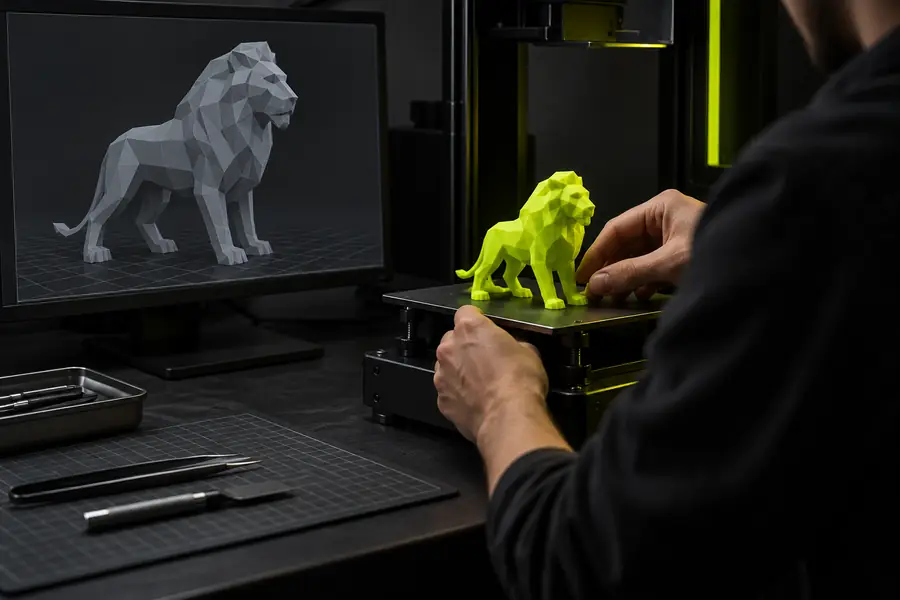
Simple handoff
The glb to 3mf online workflow is easiest to manage when you separate source inspection, conversion, and result review.
Confirm that the scene opens as expected and note its meshes, materials, textures, and overall structure before conversion.
Send the GLB through the conversion workflow and keep the intended 3MF use case in mind while the package is prepared.
Inspect the output for geometry, visible surfaces, object organization, and the details your downstream application needs.
Related paths
Use these nearby routes when your starting file or final destination differs from a GLB-to-3MF workflow.
Format comparison
GLB and 3MF serve different roles, so the right online conversion workflow depends on what the source contains and what the result must support.
| GLB source | 3MF result | |
|---|---|---|
| Primary role | Compact binary container for a 3D scene | Package designed around 3D manufacturing data |
| Typical content | Meshes, materials, textures, cameras, and scene data | Model data plus package-level production information |
| Scene presentation | Can preserve a richer visual scene structure | Usually emphasizes the model package and its usable components |
| Texture handling | May reference or include visual texture resources | Requires review to confirm the intended appearance carries over |
| Best review focus | Geometry, materials, hierarchy, and embedded assets | Geometry, object structure, package contents, and downstream compatibility |
| Common next step | Open, inspect, or edit the scene in a 3D tool | Validate the package for the application or fabrication workflow |
| Conversion question | What scene information must be retained? | What result information must be usable? |
Practical scenarios
Different teams inspect the same format change through different lenses. These examples keep the GLB source and 3MF destination tied to a clear next step.
A team has a GLB asset from a web or real-time scene and needs a more structured package for internal review.
The team can compare the converted result against the original before handing it to another tool.
A creator wants to move a finished GLB model into a format that is easier to evaluate for a production-oriented workflow.
A deliberate review catches missing surfaces, unexpected organization, or visual differences early.
A technical artist is testing whether a scene can move between a presentation format and a package-focused format.
The comparison makes it clearer which scene details need separate verification after conversion.
A coordinator receives a GLB from one contributor and needs to establish a repeatable 3MF handoff for the next contributor.
A documented source check and result review reduce ambiguity around what was converted and what still needs validation.
Visual checkpoint
A before-and-after review is valuable because a successful file conversion is more than a changed extension. Check the visible model and the information your next tool depends on.

Review geometry and package contents before downstream use.
Before: GLB sourceAfter: 3MF resultNext action
When the source is ready, use the conversion path to move from GLB toward 3MF, then review the result against the needs of your application or production process. Keep the original GLB available as a reference during validation.
Common questions
It describes moving a GLB 3D asset through an online workflow that produces a 3MF package. The important part is not only changing the file type, but also checking whether the resulting geometry and package contents suit the next step.
GLB is commonly used as a compact way to carry a 3D scene, while 3MF is oriented toward a structured 3D package. Converting can help when a downstream workflow expects 3MF, but the result should still be reviewed for geometry, materials, and organization.
Inspect the model shape, object structure, visible surfaces, and any details that matter to the destination application. Compare the 3MF result with the original GLB so unexpected changes are easier to identify.
Not every scene carries the same information or is intended for the same destination. A conversion may require extra validation when the GLB contains complex hierarchy, textures, animation data, or scene elements that are not central to the 3MF workflow.
Yes. Keeping the original GLB gives you a reference for comparing geometry and appearance, and it preserves the source if the 3MF package needs to be revised or checked in another tool.